
What is ChatSlide
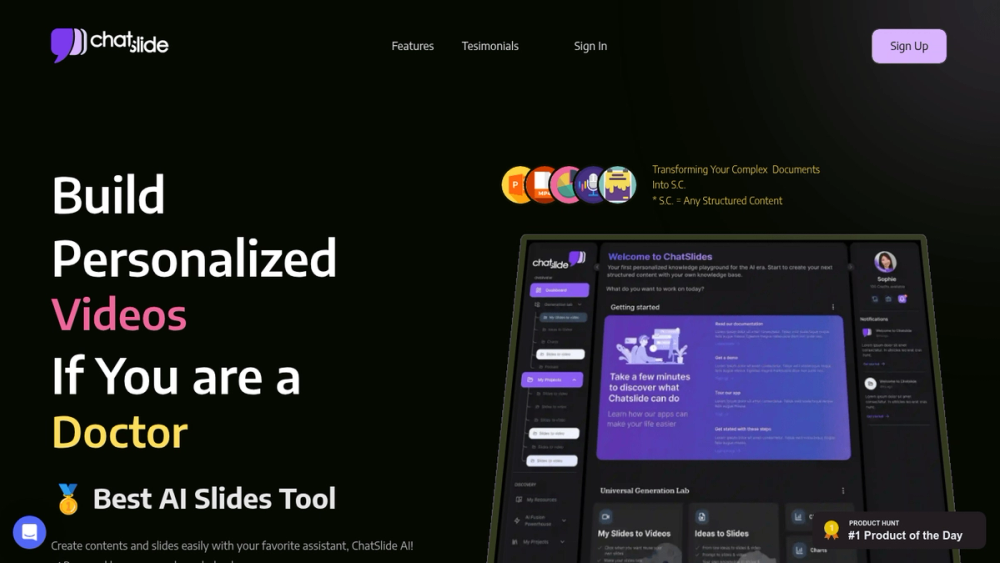
ChatSlide is an innovative AI workspace designed to revolutionize knowledge sharing. It empowers users to convert various document formats, including images, PDFs, and links, into dynamic and engaging content such as slides, videos, podcasts, and social media posts. This tool is particularly beneficial for professionals seeking to enhance their productivity and streamline their content creation workflows.
How to Use ChatSlide
- Upload Your Content: Begin by uploading your source material, whether it's a document, image, or link, into the ChatSlide platform.
- Select a Format: Choose the desired output format, such as slides, video, or podcast, based on your communication needs.
- Customize and Edit: Utilize the AI-powered tools to customize the generated content, including adding branding, adjusting visuals, and refining the narrative.
- Share and Distribute: Once satisfied, share your newly created content across various platforms, including presentations, social media, and educational channels.
Features of ChatSlide
- AI-Powered Content Generation: Automatically transforms documents into various formats.
- Multimodal Support: Accepts a wide range of input formats, including documents, images, and links.
- Customization Options: Offers tools for branding, visual adjustments, and narrative refinement.
- Video Generation with Avatars: Create engaging videos with AI avatars and custom voices.
- Podcast Conversion: Convert slides into engaging audio content.
- Flexible Export Options: Supports PDF, PPTX, VIDEO, KEYNOTE, and PODCAST formats.
Use Cases of ChatSlide
- Healthcare Professionals: Create patient education materials and explain complex medical information.
- Educators: Develop engaging presentations and educational videos for students.
- Business Professionals: Generate compelling pitch decks, reports, and marketing content.
- Researchers: Transform research papers into easily digestible slides and videos.
- Marketing Teams: Produce social media content and promotional videos quickly.
- Training and Development: Create interactive training modules and onboarding materials.
FAQ from ChatSlide
- What file formats does ChatSlide support? ChatSlide supports a variety of formats, including PDFs, images, and links.
- Can I customize the generated content? Yes, ChatSlide offers extensive customization options, including branding and visual adjustments.
- Does ChatSlide offer video generation? Yes, ChatSlide can generate videos with AI avatars and custom voices.
- Is there a limit to the number of slides or videos I can create? The number of creations depends on your subscription plan.
- Can I use my own voice in the videos? Yes, the Ultimate plan allows you to record and integrate custom voiceovers.
- What are the export options? You can export your content in PDF, PPTX, VIDEO, KEYNOTE, and PODCAST formats.