
What is PPT AI
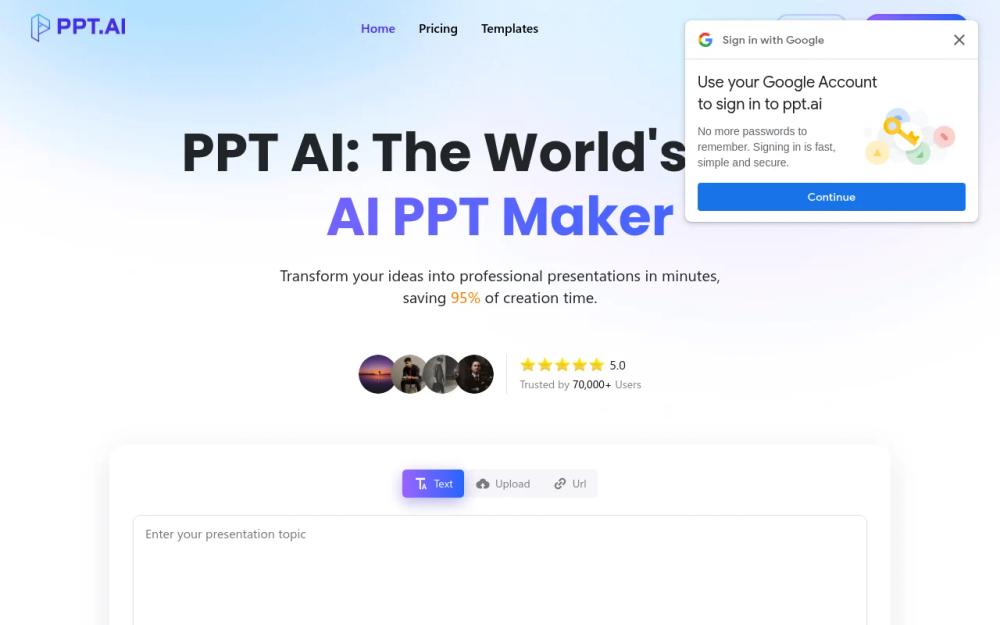
PPT AI is an AI-driven presentation maker designed to streamline the creation of professional presentations. It leverages artificial intelligence to convert various inputs, such as text, documents, PDFs, websites, and videos, into visually appealing and well-structured slides. The platform aims to save users significant time by automating the presentation design process.
How to Use PPT AI
- Input Content: Enter your presentation topic or upload content (text, Word, PDF, or video). PPT AI analyzes the input to structure a professional presentation outline.
- Smart Generation: The AI designs your slides with automated features. Choose from various templates, and let the system optimize your presentation.
- Customize and Download: Refine your slides using PPT AI's editing tools. Adjust layouts, styles, and text, then download or present directly from the platform.
Features of PPT AI
- Instant Conversion: Transforms documents, spreadsheets, audio, or video into professional slides in seconds.
- Multi-Model Intelligence Engine: Powered by DeepSeek, GPT-4o, Claude 3.5, and Gemini 2.0 for intelligent content analysis and slide creation.
- Free Professional Templates: Access a collection of expertly designed templates at no cost, with smart design recommendations.
- Smart Design Optimization: PPT AI layout and visual refinement ensure perfectly structured and professionally styled slides.
- Multilingual Support: Create presentations in multiple languages with intelligent translation capabilities.
- Effortless Editing & Sharing: Modify text, colors, and images with intuitive tools. Export presentations in multiple formats.
Use Cases of PPT AI
- Business Presentations: Create compelling presentations for sales pitches, investor meetings, and internal communications.
- Educational Materials: Develop engaging educational content for teachers and students.
- Marketing Collateral: Design marketing presentations to showcase products, services, and campaigns.
- Project Reports: Generate professional reports to present project updates and findings.
- Training Materials: Develop training modules and presentations for employee onboarding and skill development.
- Personal Use: Create presentations for personal projects, hobbies, or events.
FAQ from PPT AI
- What is PPT AI and how does it work? PPT AI transforms your content into professional presentations in minutes using advanced AI technology to analyze your input and create well-structured, visually appealing slides.
- How do I get started with PPT AI? Sign up, upload your content or input your topic, choose a template style, let PPT AI generate your presentation, then review and customize.
- What benefits do PPT AI free users receive? Free users can generate 3 presentations per month, access 50+ templates, create up to 15 slides, use essential editing features, and download presentations with a watermark.
- What file formats does PPT AI support? PPT AI supports Word, PDF, TXT, and Markdown for input, and offers PPT, PPTX, and PDF for output. All presentations can be edited directly in our online platform.
- How does PPT AI ensure presentation quality? PPT AI uses advanced algorithms trained on millions of professional presentations, analyzing content structure and design principles to ensure high-quality outputs with 96% user satisfaction.
- What makes PPT AI different from traditional presentation tools? PPT AI offers intelligent content analysis, automatic design suggestions, time-saving automation (95% faster), professional templates with smart matching, and intelligent content organization.